Choosing the right Storage Solutions starts with understanding what your business stores, how often staff need it, and what space is available. A retailer handling cartons may need sturdy shelving and clear picking lanes. An office may benefit more from lockable cabinets for files and equipment. Measure the room, including doorways, ceiling height, and paths around workstations. A few careful measurements can prevent costly surprises.
Capacity is only part of the decision. Consider weight limits, material durability, access frequency, and whether inventory changes by season. For example, placing fast-moving items at waist height can reduce unnecessary bending and speed up routine tasks. Keep heavier goods low, and leave enough aisle space for safe movement. These practical details are easy to overlook. They matter.
Compare the full cost, not only the purchase price. Installation, maintenance, expansion, and staff time can affect value over several years. Ask suppliers for load ratings and care instructions, and check that their recommendations match your actual needs. If possible, test a small section before outfitting an entire room. It may feel slower, but it can reveal awkward access or wasted space early.
There is no perfect system for every business. A setup that works today may become cramped after a busy season or a new product launch. Review your storage needs regularly, and make adjustments when evidence supports them. Even a simple inventory of what is used, stored, and rarely touched can guide a more reliable choice.
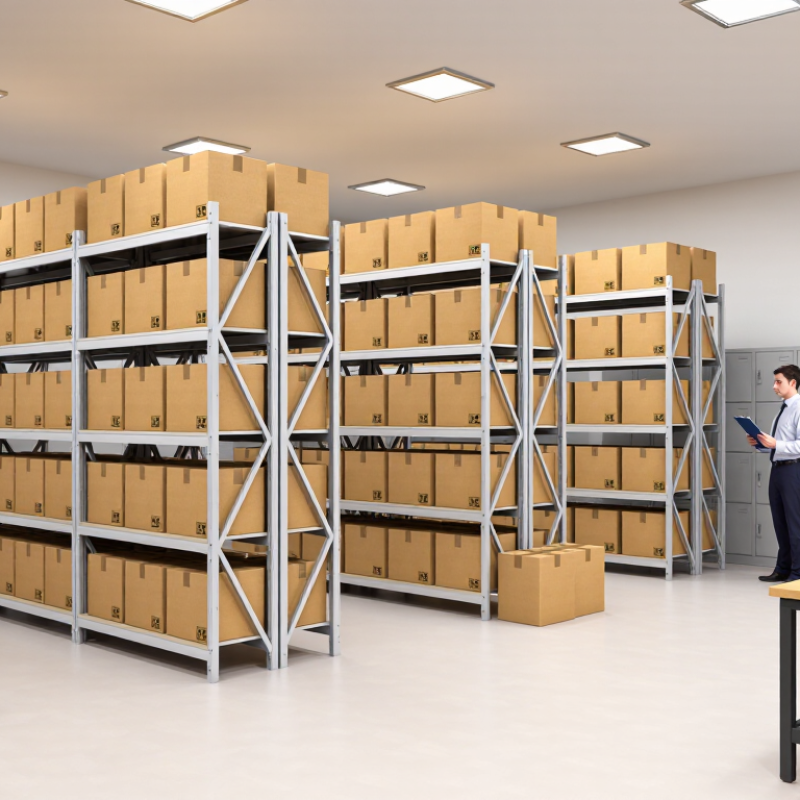
Before choosing shelves, estimate what your business actually stores. List each item’s dimensions, weight, turnover rate, and handling needs. A café may need dry goods near preparation areas, while a repair shop may store bulky parts that move less often. Measure doorways, aisles, ceiling height, and floor space; a tall unit is useless if staff cannot reach it safely. Note seasonal peaks, too. That matters.
Then map the work. Track how goods arrive, where they wait, and how employees retrieve them. If fast-moving cartons sit behind slow-moving stock, wasted steps become part of every shift. Keep frequently used items within comfortable reach and leave clear routes for carts or lifting equipment. Check whether items need temperature control, ventilation, dust protection, or restricted access. These needs can shape a layout more than the available square footage. Keep it practical.
Capacity estimates deserve caution. Supplier figures may assume neat stacking and steady conditions; real operations are messier. Leave room for labeling, inspection, and safe movement instead of filling every shelf. Ask staff which locations cause delays or awkward lifting, then test a small layout change before buying more storage. Review the setup after a busy month. Demand may have changed, or your first measurements may have been off. That is useful evidence, not failure.
Choosing storage starts with practical questions: How quickly must staff reach files, and who will maintain the system? On-premises storage keeps equipment at your site. It can work well for predictable workloads, low-latency applications, or offices with unreliable internet. Teams handling large design files may appreciate fast local access. But disks, backup checks, cooling, and replacement schedules all need attention. Control has a cost.
Cloud storage reduces the need to purchase and manage local hardware. It can help teams add capacity quickly or provide access across several locations. Yet performance depends on connectivity, and recurring fees can grow as data accumulates. Check how costs change with retrieval and transfers, not just the initial estimate. Also confirm that access controls and recovery options match your operating needs.
Hybrid storage combines local systems with cloud capacity. A business might keep frequently used files on-site while placing older records or backup copies in the cloud. This can balance speed and flexibility, but it adds coordination: staff must know where data lives and how it is protected. A small pilot with real workloads can expose weak points before a larger move. There is no perfectly tidy answer; early estimates are often wrong. Test recovery, measure access times, and revisit the setup as work patterns change.
Security, access, and compliance should shape your storage choice before capacity or price. Start by mapping what you store: payroll files, customer records, paper contracts, or equipment. Each needs different safeguards. A locked cabinet may suit archived paper, while sensitive digital files need encryption, individual accounts, and access logs. Make the test concrete: can a staff member retrieve a file without seeing unrelated records?
Access should be easy for authorized people and difficult for everyone else. Verizon’s 2024 Data Breach Investigations Report found that the human element was involved in 68% of breaches. That figure is a reminder to review everyday habits, not just technical features. Use role-based permissions, remove access promptly when duties change, and test recovery from a deleted file. Small gaps count. One uncomfortable question: do employees actually follow the access rules during a busy week?
Compliance depends on your industry, data, and location, so confirm applicable requirements with qualified advisers. Keep an inventory of stored information, document who can access it, and set retention and deletion schedules. IBM’s 2024 Cost of a Data Breach Report put the global average breach cost at $4.88 million. That is not a prediction for every business, but it makes weak controls hard to dismiss. Storage providers’ security claims are useful; verify them against audit records, backup procedures, and clear incident-reporting terms. A policy can look complete on paper and still fail in practice. Review it with the people who use the system.
Choose storage around actual workloads, not a headline capacity number. Record current data volume, monthly growth, access frequency, and recovery needs. IDC’s 2024 Global DataSphere forecast projects data creation, capture, and replication rising from 149 zettabytes in 2024 to 394 zettabytes by 2028. That projection is not a purchase target. It is a reminder to leave room for growth without paying today for unused capacity.
Compare total ownership costs, including equipment, support, power, migration, backup, and cloud retrieval fees. Flexera’s 2024 State of the Cloud report found that respondents estimated 27% of cloud spending was wasted. The figure covers cloud spending overall, not storage alone, but it makes regular cost reviews worthwhile. A common planning mistake is comparing monthly rates while overlooking recovery charges. Small line items can bite.
Tips: Track capacity and cost monthly. Test restoring a sample folder before committing. Set expansion triggers, such as reaching 75% capacity, and review them quarterly. Measure twice. Forecasts can miss; keep a modest buffer and revisit assumptions as your data changes.
| Storage Solution | Typical Cost Profile | Common Capacity Range | Scalability | Best Suited For | Key Considerations |
|---|---|---|---|---|---|
| Small Business NAS with HDDs | Approximately $1,000–$8,000 upfront for a small system with drives; ongoing costs include power, maintenance, and drive replacement. | About 20–200 TB usable, depending on the number and size of drives and the redundancy configuration. | Moderate. Capacity can often be increased by replacing drives or adding an expansion enclosure, subject to system limits. | Shared files, local backups, and departmental storage for small or growing teams. | Usable capacity is lower than raw capacity when redundancy is used. Plan for backups, access controls, and replacement drives. |
| Enterprise HDD NAS | Often tens of thousands of dollars upfront; exact costs depend on controllers, drive count, support, and capacity. | From roughly 100 TB to multiple petabytes in larger systems. | High. Many systems support additional shelves or nodes, but expansion may require planned purchases and maintenance windows. | Large shared file repositories, media libraries, and business applications with substantial capacity needs. | HDDs generally provide lower cost per terabyte than flash, but are slower for workloads with heavy random access. |
| All-Flash NAS or SAN | Usually a higher upfront investment than HDD-based systems; price varies substantially with performance, capacity, and support requirements. | Common configurations range from a few terabytes to hundreds of terabytes; larger systems can exceed this range. | High, but expansion can be costly. Check whether additional drives or controllers can be added without replacing the system. | Latency-sensitive databases, virtualization, and applications requiring consistently high input/output performance. | Assess workload performance requirements before paying for flash capacity. Include support, redundancy, and backup costs in the budget. |
| Cloud Object Storage — Standard Tier | Common public list-price ranges are approximately $15–$30 per TB per month, before applicable requests, retrieval, and data-transfer charges. | Scales from gigabytes to many petabytes without purchasing local storage hardware. | Very high. Capacity can generally grow on demand, subject to service limits and account configuration. | Unstructured data, off-site copies, application assets, and data that needs broad or remote access. | Estimate access frequency, data-transfer charges, retention, and security requirements. Pricing varies by region and service. |
| Cloud Block or File Storage | Often about $40–$100 per TB per month for baseline storage, with performance, provisioned capacity, compute, and transfer potentially adding costs. | Typically provisioned per volume or file system, from small workloads to multi-terabyte deployments; service-specific limits apply. | High. Capacity is usually adjustable, although performance settings and application configuration may need review. | Cloud-hosted databases, virtual machines, and applications that need mounted file systems or block devices. | Compare total monthly cost, not storage alone. Performance tiers, snapshots, backups, and cross-region transfer can affect bills. |
| Cloud Archive Storage | Archive tiers can cost roughly $1–$5 per TB per month for storage, while retrieval, early deletion, and access charges may apply. | Scales to very large archives; capacity is generally limited by service quotas rather than local hardware. | Very high for long-term retention. Data can be added as needed, but retrieval may take minutes or hours depending on the tier. | Long-term records, compliance copies, and backups that are rarely accessed. | Check minimum retention periods, retrieval times, restore fees, and required retention policies before moving data. |
| Magnetic Tape Archive | Requires an upfront investment in compatible drives or a tape library, plus media and handling; costs depend on automation and scale. | Individual modern tape cartridges provide tens of terabytes of native capacity; libraries can hold many cartridges. | Moderate to high. Capacity can be expanded by adding cartridges and, where supported, additional library slots or drives. | Offline backups and long-term archives where low media cost and isolation from network threats are priorities. | Retrieval is slower than disk or online storage. Include off-site transport, media rotation, cataloging, and periodic restore testing. |
Planning note: Costs are indicative estimates in USD, not quotes. Actual prices vary by region, configuration, capacity, redundancy, support, and usage. Compare total cost of ownership over the expected service life, including hardware, power, administration, backup, data transfer, and recovery.
Selecting a storage solution starts with the work, not the catalogue. Record each item’s dimensions, weight, picking frequency, and replenishment needs. Then map the real flow: receiving, put-away, picking, packing, and dispatch. A fast-moving carton near the packing bench can save repeated steps. Heavy pallets need suitable rack capacity, clear aisle access, and verified floor loading. Measure carefully.
Match the system to the inventory. Pallet racking suits bulk goods; shelving or bins can make small items easier to reach. The U.S. Census Bureau reported that e-commerce made up 16.1% of U.S. retail sales in 2024, a reminder that order profiles can shift. Leave room for change. MHI’s 2024 Annual Industry Report found that 55% of surveyed supply-chain professionals expected to increase technology investment. That does not mean every business needs automation.
Implement in one zone before changing the whole facility. Label locations clearly, test replenishment, and track travel time, picking accuracy, and damaged goods. Ask staff where congestion forms; a plan can look perfect on paper and still fail beside a busy packing table. I would revisit the layout after real orders expose its weak spots. Start small. Keep notes. That part is easy to overlook.
Measure each item’s size and weight. Check doorways, aisles, ceiling height, and available floor space. A tall shelf may not fit.
Keep fast-moving items near packing or preparation areas. Place heavy goods where staff can handle them safely. Leave clear cart routes.
Do not fill every shelf. Leave room for labels, inspections, and safe movement. Estimates are imperfect; real stock gets messy.
Pallet racks suit bulky goods. Shelves or bins help organize small parts. Match the setup to item size and picking frequency.
Track travel time, picking errors, and damaged goods. Ask staff where congestion forms. A busy packing table may reveal problems.
Include equipment, power, support, migration, backups, and retrieval fees. Monthly rates alone can hide costs. Small charges add up.
Track capacity and costs monthly. Set a review point, such as 75% capacity, and revisit it quarterly. Forecasts can miss.
Test one zone first. Label locations and measure results before expanding. Start small. I would still review the plan after a busy month.
Choosing the right Storage Solutions begins with a clear understanding of your business’s needs, including the type and volume of data you manage, how quickly it must be accessed, and how it may grow over time. On-premises storage can offer direct control, cloud storage can provide flexible access and capacity, and a hybrid approach can combine their advantages. The best fit depends on how each option supports your daily operations and long-term plans.
Before making a decision, assess security, user access, compliance obligations, total costs, available capacity, and future scalability. Consider both current expenses and the resources needed to maintain or expand the system. Once you have compared these factors, select a solution that balances reliability, flexibility, and affordability. Careful implementation, including data organization, access planning, and ongoing review, can help ensure your storage continues to meet changing business needs.

Shibang Storage Rack